

How to Enhance Your Business Website’s Security?
Website Security
Security is one of those words that is thrown around a lot in conversation regarding website development. It’s important to everyone, promised with the best of intentions, but still often overlooked.
A website that is insecure can lead to the manipulation and interception of sensitive customer information.
This is information that your customers faithfully give to your business assuming you’ve done everything necessary to protect it — and you need to make sure that you do. A digital website that is secure and puts visitors at ease translates to the way they feel about your marketing company, too. Read this article to discover the best tips in enhancing your digital website.
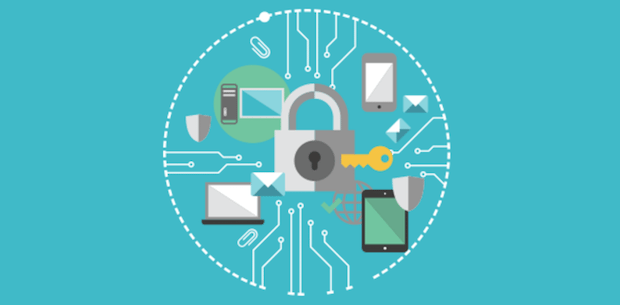
Tips to Enhance the Security of your Website:
Keep Your Software UP-TO-DATE
It is crucial to keep all platforms or scripts you’ve installed up-to-date. Hackers aggressively target security flaws in popular web software, and the programs need to be updated to patch security holes. It is important to maintain and update every software product you use.
Strengthen Your Passwords
Weak passwords give hackers easy access to your data. An easy way to enhance website security is to fortify your passwords.
Below are some best practices to enhance the security of your passwords: :
- Make the password longer than nine characters
- Combine special characters, letters, and numbers
- Use both capital and lower-case letters
- Avoid easy-to-guess keywords such as birthdays, or the names of your pets or children
Encrypt Your Login Pages
Use SSL encryption on your login pages. SSL allows sensitive information such as credit card numbers, social security numbers, and login credentials to be transmitted securely. Information entered on a page encrypted so that it’s meaningless to any third party who might intercept it. This helps to prevent hackers from accessing your login credentials or other private data.
Keep Your Website Clean
Every database, application, or plugin on your marketing website is another possible point of entry for hackers. You should delete any files, databases, or applications from your website that are no longer in use. It is also important to keep your file structure organized to keep track of changes and make it easier to delete old files.
Backup Your Data
Back up your site regularly. You should maintain backups of all of your website files in case your site becomes inaccessible or your data is lost. Your web host provider should provide backups of their own servers, but you should still backup your files regularly. Some content management programs have plugins or extensions that can automatically back up your site, and you should also be able to back up databases and content manually.

Scan Your Website For Vulnerabilities
It is important to regularly perform web security scans to check for website and server vulnerabilities. Web security scans performed on a schedule and after any change or addition to your web components. There are a number of free tools on the Internet that you can use to measure how secure your website is. Those tools can be helpful for a brief review, but they won’t detect all the possible security flaws of your site.
Hire A Security Expert
Developing a relationship with a firm that provides security services can be a lifesaver when it comes to protecting your website. While the small things can be taken care of on your own, there are many security measures that should be handled by an expert. Companies providing security services can regularly scan your website for vulnerabilities, perform full website security audits, monitor for malicious activity, and be on hand whenever repair is needed.