

6 Ways to Keep Your Facebook Business Page Secure
Secure Facebook Account
With so much digital personal information held in your Facebook profile, you can’t take a ‘set and forget’ approach to secure your account. Just by tweaking a couple of settings, you’ll have more control over who can access your personal details.
Making sure your passwords are strong and setting up two-factor authentication is a good place to start. But there are plenty of other ways to stay safe on Facebook.
To help you keep your Facebook account secure, we’ve rounded up some tips on how to do a security and privacy audit. Keep scrolling for the details.
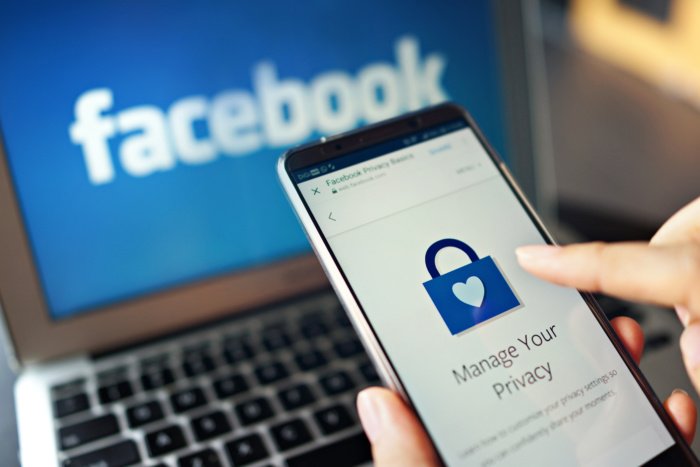
Tips To Secure Your Page:
Secure Your Page with A Strong Password
In the same way you do when securing your personal Facebook account, you should set up a strong and unique password for your business page. It should include lower and upper-case characters, symbols, and numbers. Avoid including your phone number, common words, email address, or your name. You should also not reuse your Facebook marketing business page password on any other account – whether business or personal.
Set Two-Factor Authentication
Enabling two-factor authentication on your Facebook business page will help enhance the security of your page. Activating this option ensures that anyone trying to log in to your page will also need access to either your phone or a third-party authentication app. You also have the option of setting up approval of all login attempts made from recognized devices. This by using your security key on a compatible device or using the recovery code.
Create Page Roles
To help manage your organization’s Facebook page and limit workers’ access, assign page roles. As the owner of the page, you automatically become an admin. And now, as an admin, you are in a position to assign page roles. And also change these roles in the future. The current page roles for page managers are about five, and each role has a different range of Facebook page managing privileges. They include the admin, editor, moderator, advertiser, as well as an analyst. By setting up page roles, you can control which workers have access to certain privileges as well as keep a better track of any suspicious Facebook behavior from the inside.

Manage Third-Party Apps
As Facebook continues growing in popularity, competition amongst brands also continues to grow. Every individual wants to attract more fans as well as engage more prospective clients. One of the ways to achieve this is by linking your digital social media profiles such as Instagram, Twitter, Pinterest, among others – which all need access to your Facebook page. For the sake of your Facebook marketing business page safety, only allow access to well-known applications and frequently check the ones still with access.
Moderate Profane Content
One simple way to alter comments is by blocking particular words. When you block a certain word, any comment or post published with it on your page will not appear. On top of blocking certain words, you can also block profane content by turning on the profanity filter in the settings section. If you see a Facebook post or message that tries to trick you into sharing personal information, please report it.
Secure Mobile Access
If you or other team members frequently access your business page from a mobile device. Consider an app that can safeguard you in the event of a stolen or lost phone. It can also hinder family and friends from posting and joking around with anything on your behalf in case you leave your device unattended.